
SCOUT MK-1
BUILD CONSOLE v6.0WHAT IS SCOUT MK-1
BUILT IN PUBLIC
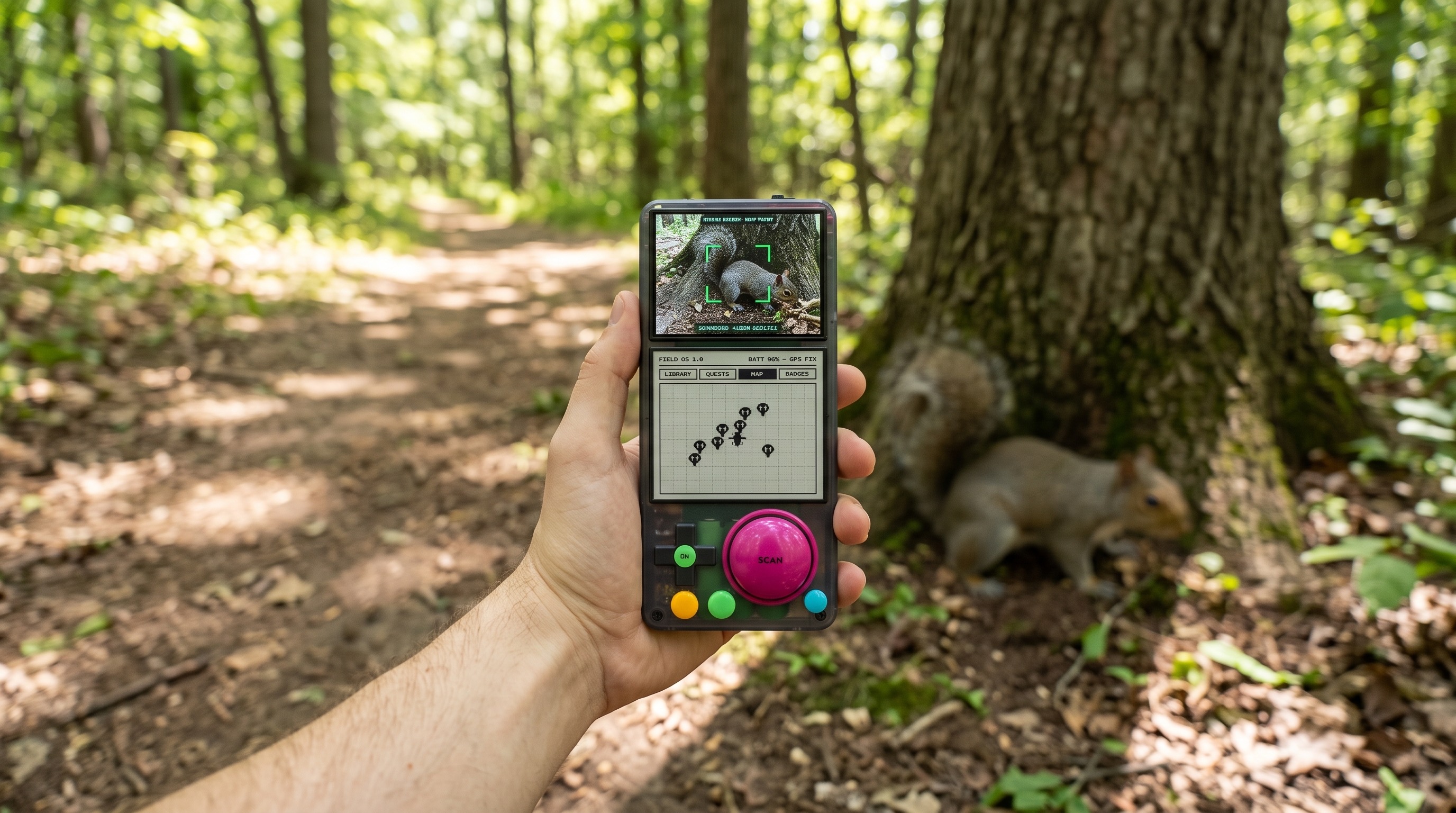
SCOUT MK-1 is a real-world Pokedex. Point it at a plant, a bug, a bird and it tells you what you found - entirely offline: no account, no cloud, no feed. Listen to birdsong and it names the bird. Ask it questions about the thing in front of you. Every find lands on a map of your own exploring.
It is being built for a 3-year-old naturalist, and it is his dad’s first hardware build. The whole thing happens in public - the spec, the CAD, the parts lists, the mistakes, and the weekly plans are all on this console - two tracks now: the pocket-brick SCOUT MINI first, then the full SCOUT PRO.
Why offline: the device only works if you go outside. No WiFi, no 4G, no subscription. Attention goes to the trail, not the screen.
THE DEVICE
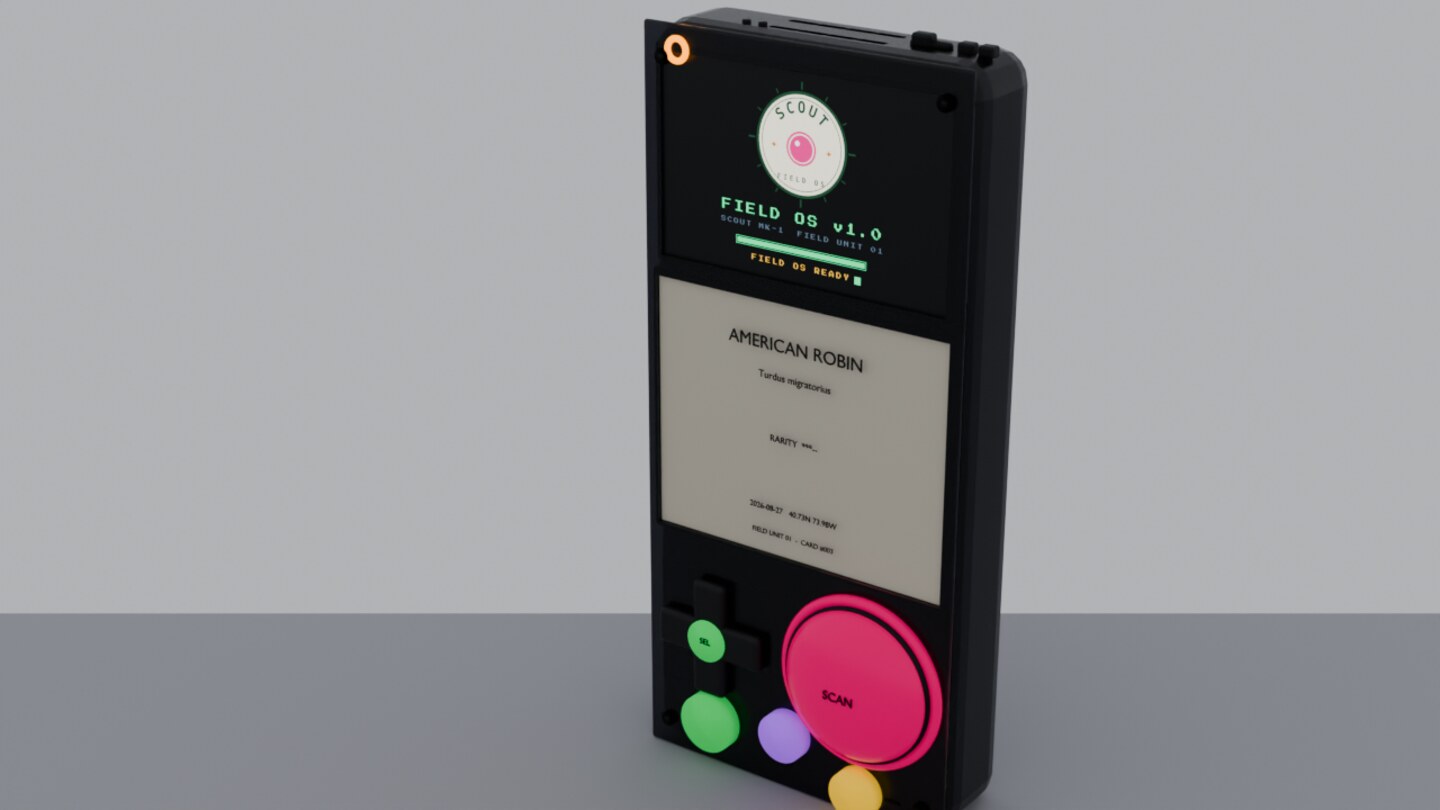
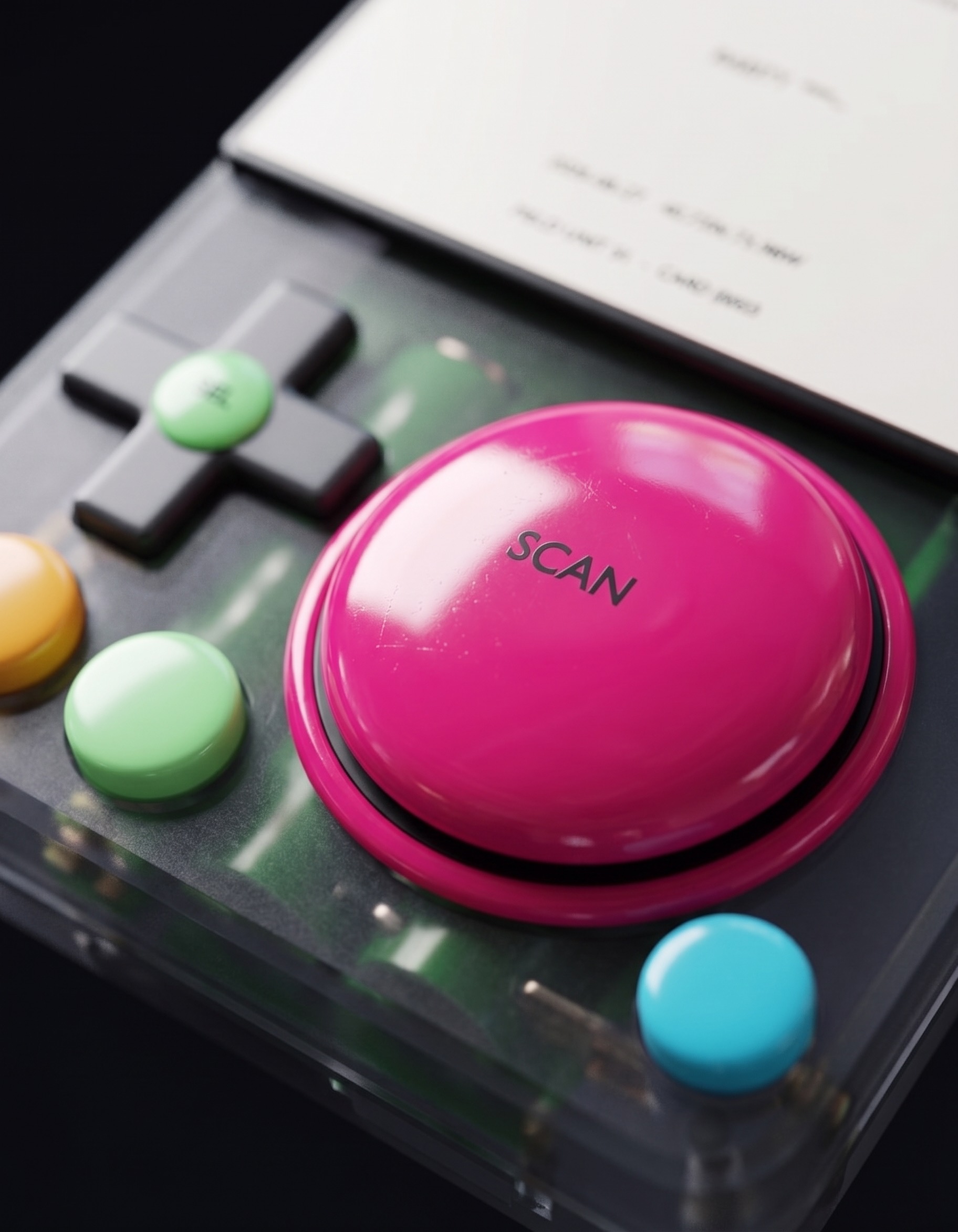
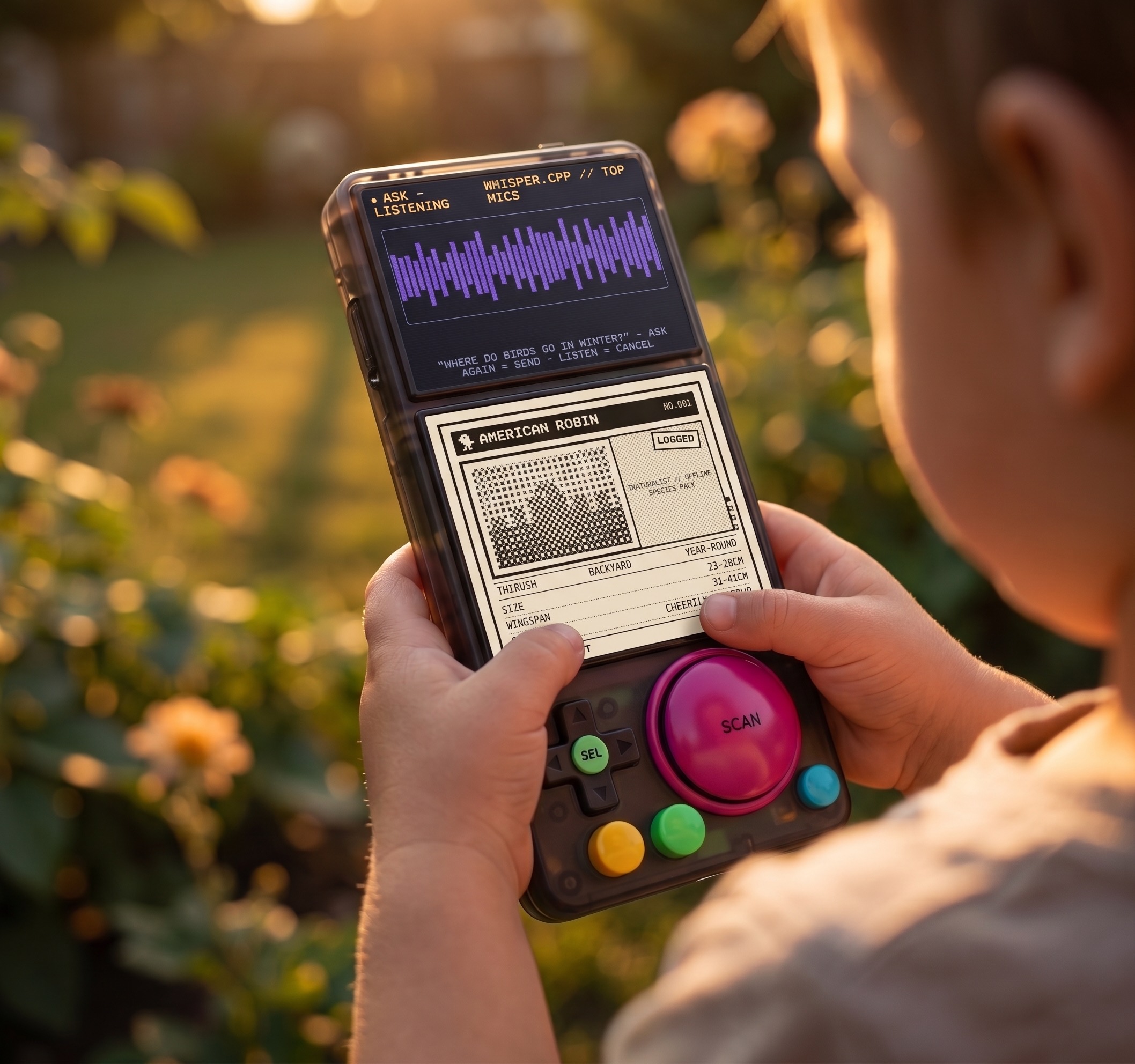
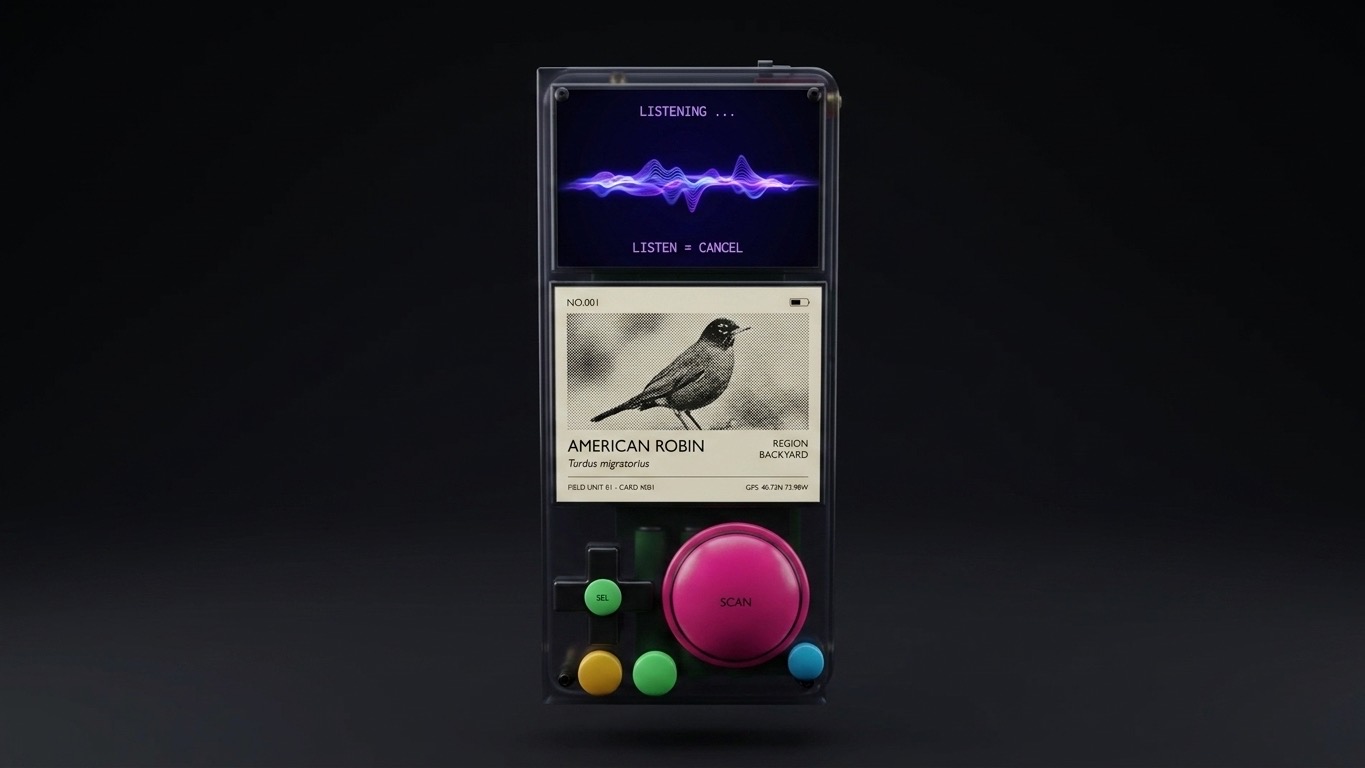
FIELD UNIT 01One big magenta SCAN dome a kid finds in two seconds. Two screens with one job each: a color viewfinder that wakes only while you scan, and a black-and-white e-ink screen that holds your finds. Translucent shell - the batteries and brass are the decoration. Inside: a Raspberry Pi 5 running FIELD OS, the species models living on the device itself.
FOLLOW THE BUILD
OPEN SOURCEEverything is in the open repo: the spec, the Blender CAD sources, the parts lists with buy links, and the build plans being worked right now. The status strip at the top of this page syncs from the repo - what you see is where the build actually is.
github.com/Jastman/Scout-Pokedex-Field-OS · PEEK AT THE BUILD CONSOLE ▸
SCOUT MINI - THE POCKET BRICK
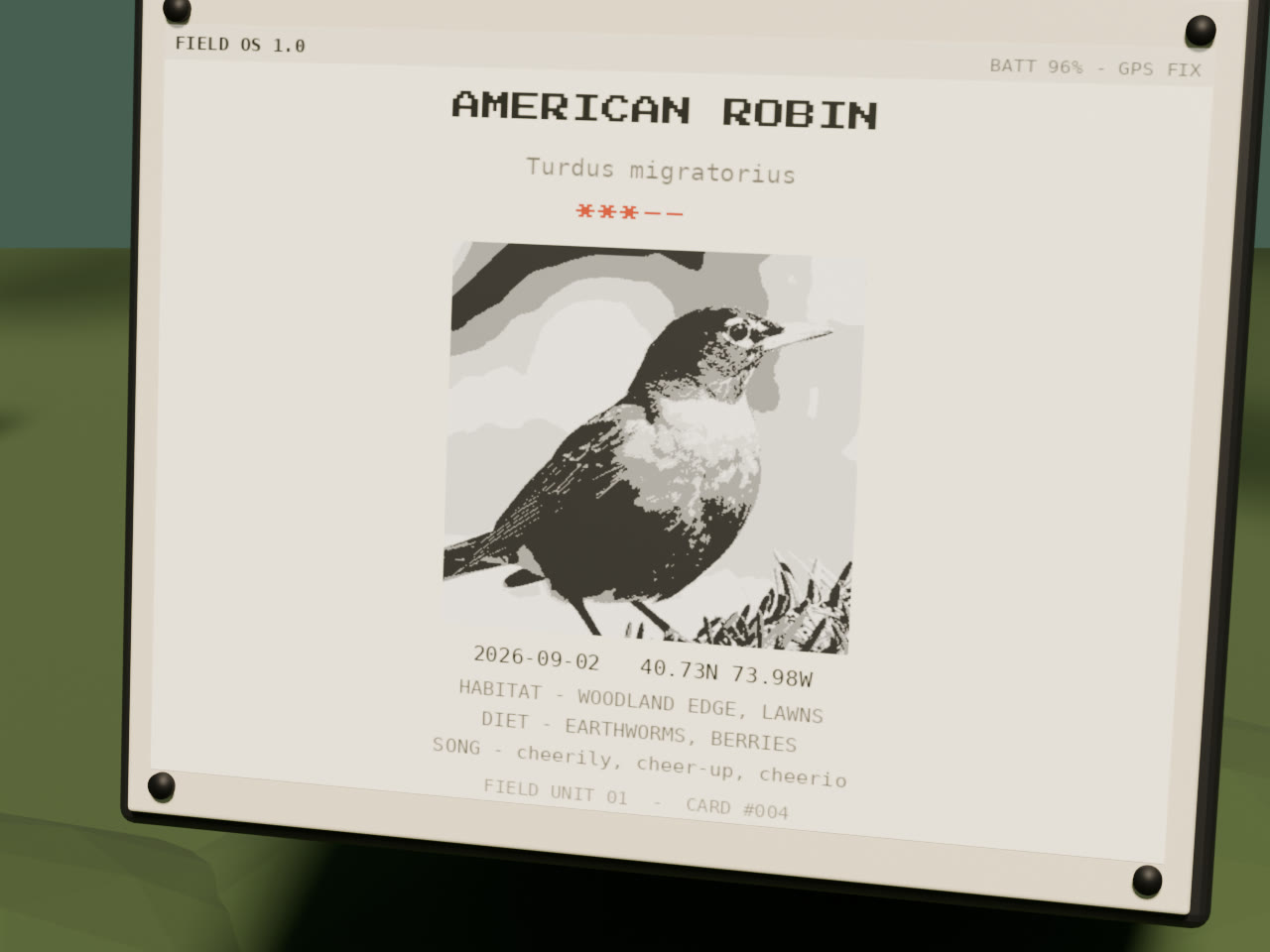
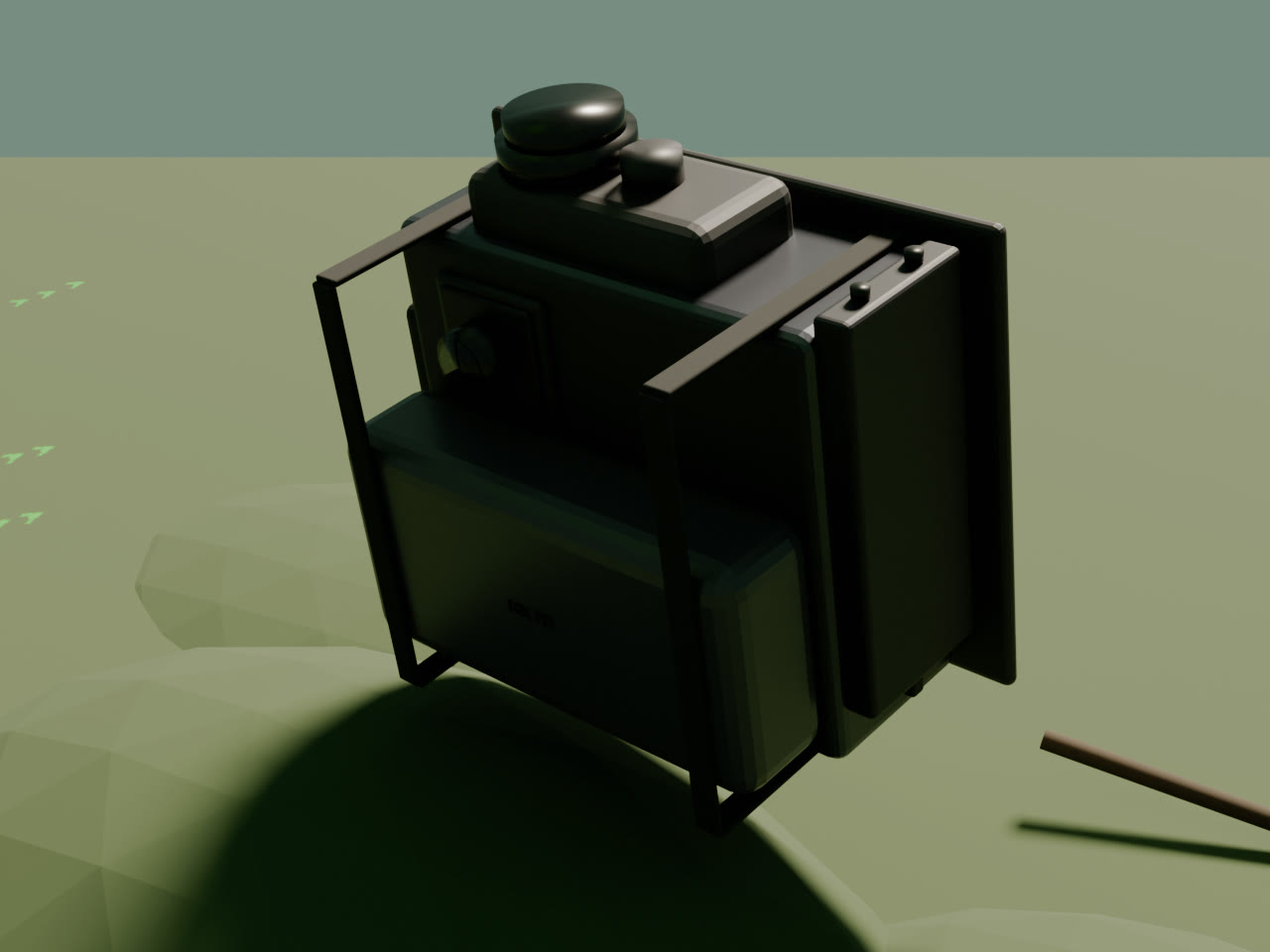
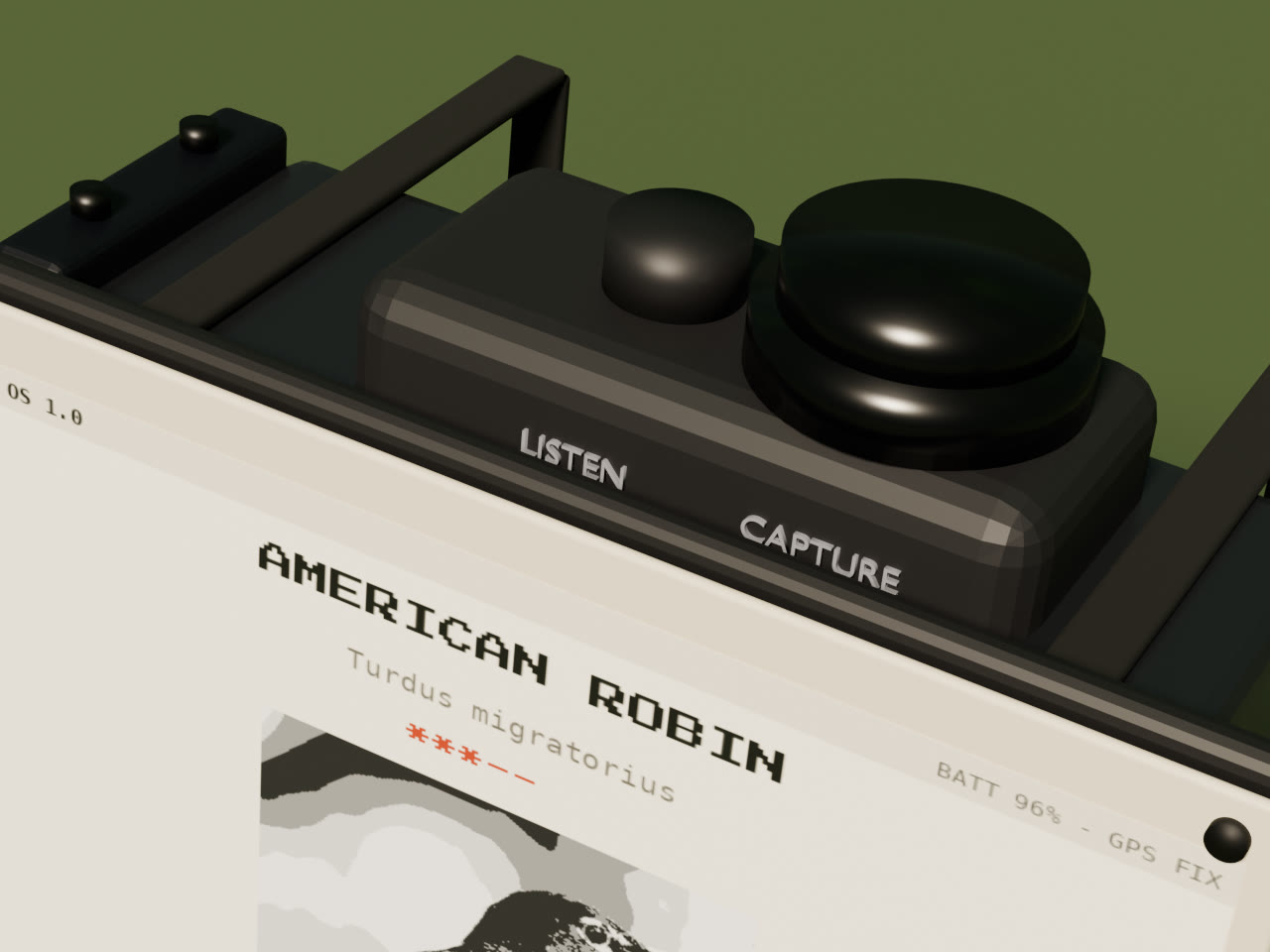
4-WEEK BUILDThe brick that proves the loop. Scout Mini is the same brain in a pocket brick: point it at a bug and press CAPTURE like a camera shutter - the e-ink screen on the front shows what you caught. Hold LISTEN and it names the bird. No viewfinder, no color screen, no menus. Two buttons on the top edge, camera on the back, e-ink on the front, mic and a small speaker.
It starts from the bench Jake already owns: the Pi 5, the NVMe, and the Argon ONE V3 case ARE Scout Mini. The buy list is just the senses - screen, camera, mic, speaker, buttons - plus a power bank. The capture-to-identify loop gets proven here first; when Pro stands up it gets its own Pi 5 and the Argon unit stays the brick. Nothing built here is thrown away.
What drops from the Pro build: the 5-inch color viewfinder and its dive animation, the 60mm SCAN dome + D-pad + ASK/MAP buttons, GPS and the offline field map, and voice ASK (the LLM ships with Pro). Everything else carries.
MINI CAD - THE REAL ASSEMBLY
DRAG OR PINCH TO ORBIT - REV 1 SEP 2FILES - OPEN IN BLENDER / REBUILD FROM SOURCE
MINI RENDERS
BLENDER CYCLES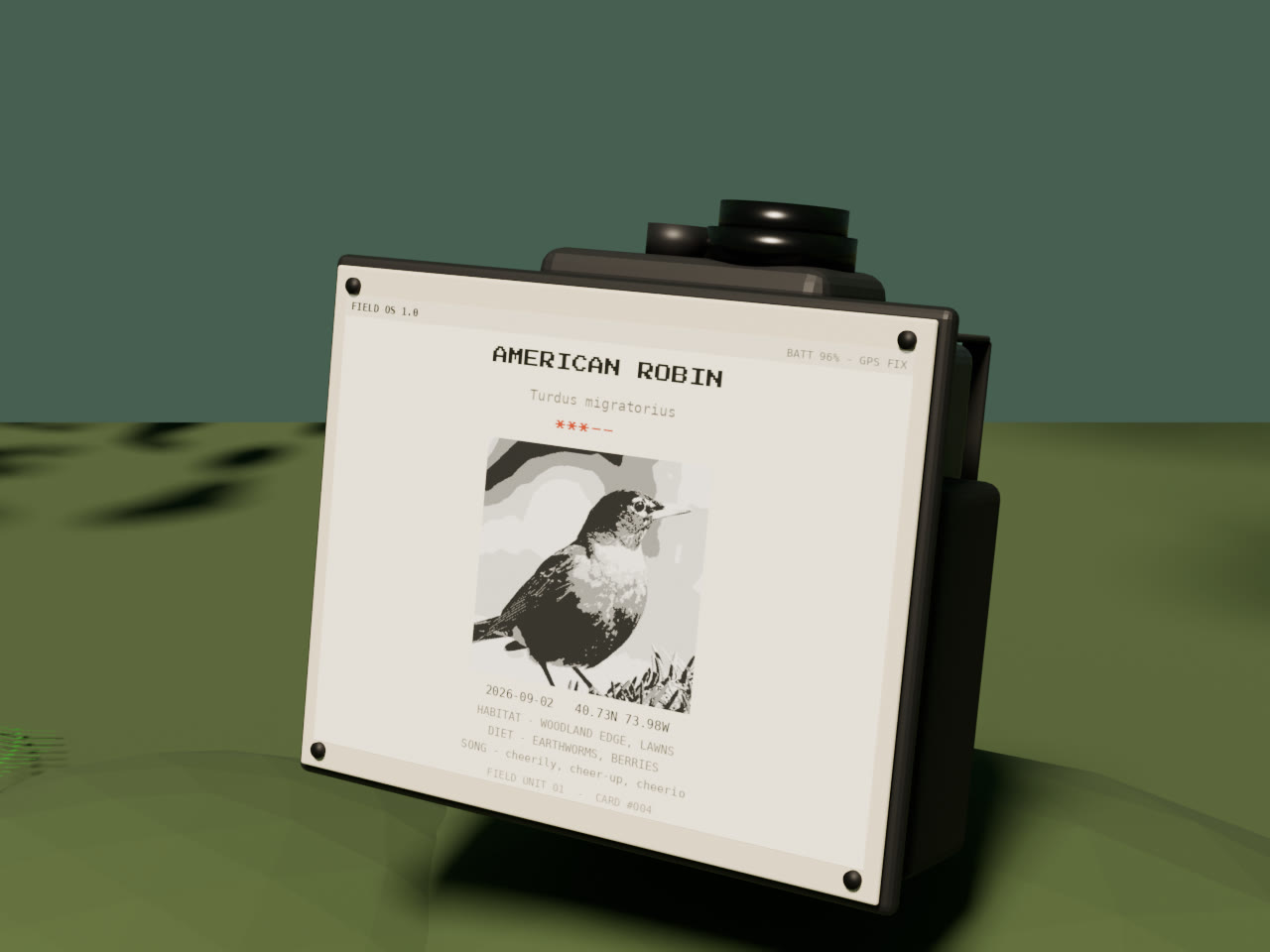
MINI PARTS LIST
$0 NEWMINI PLAN - 4 WEEKS
THEN PROWHAT PRO INHERITS
NOTHING WASTEDSoftware: the whole FIELD OS service layer - kiosk shell, camera still pipeline, the vision model bench-gated on real hardware, BirdNET listen mode, the e-ink card daemon, the GPIO button daemon, the SQLite find log, power + thermal daemons. Pro weeks skip straight to the two-screen handoff, ASK, and the map.
Hardware: Pi 5 + NVMe + NVMe Base, Camera Module 3, ReSpeaker mic, speaker path, the same 5.83 e-ink panel, UPS HAT + cell pack + thermal cutoff. The Lite brick stays the kid's first unit; Pro becomes the deluxe build.
Knowledge: real measured part envelopes, the print fit-check, and a kid hold test done on the light brick before the 1.2kg Pro print.
01 // PARTS CHECKLIST
BUY LIST01 // WEEKLY BUILD PLAN
TAP A WEEK FOR THE STEP-BY-STEPTHE 5 DESIGN DRIVERS
JAKE - AUG 29 2026- Fully offline, dedicated use case device - does one thing and one thing well (nature recognition)
- On device, fine tuned LLM
- Portable, handheld
- Should encourage exploration and looking at the real world, not a device. Should be audio first whenever possible
- Fun/playful to use - makes learning and exploration fun. Inspires the design as well: the semi-transparent shell, with design inspiration from Teenage Engineering
DESIGN LANGUAGE - FIELD UNIT 01
SECOND PASS - LOCKED AUG 27THE BRIEF
Like the Playdate, but built to do what this device does. One move borrowed from each reference - a device that borrows five moves from each would be a mess.
The 1-bit soul: the B/W e-ink panel gives the Playdate aesthetic for free - dithered cards, no color on the card face. Plus: ONE joyful signature control.
Transparency: a translucent smoke shell where the guts - cells, brass, the HAT stack - are the decoration. This is the locked shell direction.
Honest construction: exposed black Torx screws, brass heat-set inserts, engraved micro-type labels. The shell admits how it is made.
Density with discipline: a grid-true control deck, every millimeter earning its place, no decorative dead space.
Control logic a kid already knows: pad left, action right. The D-pad is primary navigation; the big button does the fun thing.
PRINCIPLE 1 - ONE SIGNATURE MOVE
THE SCAN DOMEEvery iconic device has exactly one hardware move: the Playdate has the crank, the M8 has the grid. The MK-1 move is the SCAN dome: a 45 mm concave arcade dome in signal magenta, on the RIGHT where the thumb rests, ringed like a camera shutter. It is the biggest control because it does the best thing - a 5-year-old finds it in two seconds and never asks which button scans. Already reflected in the blueprints, the cutouts, and the BOM.
PRINCIPLE 2 - CONTROL LAYOUT: NINTENDO LOGIC
PAD LEFT - ACTION RIGHTD-pad left, SCAN right. The D-pad is primary navigation - map pan, library scroll, menus - built from five 12 mm tactile switches under a printed TPU cross cap: four directions, plus a fifth under the pivot so center press = SELECT - confirm everywhere, never a "home" button. The D-pad drives whichever screen is awake: the e-ink by default (library cursor, tabs), the camera screen contextually during a scan (zoom). Cheap, kid-proof, field-replaceable, and printable on the same machine that prints the shell.
Demoted with intent: LISTEN is a scan too - it just listens instead of looks - so it lives beside the SCAN dome, same family as the visual scan. Rev 12-13 (Aug 29): the dome shrank from 60mm to a stock 45mm part and LISTEN grew to ~20mm - a direct vote for driver 4: encourage looking at the real world, audio first. Rev 14 (Aug 29): the two ears split into shapes and colors - LISTEN is a yellow UP-triangle beside the dome (nature in), ASK is a purple DOWN-triangle under the D-pad (voice in), and the waveforms follow (nature = yellow organic wave, voice = purple). Rev 15 (Aug 29): Jake saw the deck and pulled the ears onto the right flank - LISTEN over ASK stacked beside the dome, which grows back to the full 60mm stock part; MAP slides under the D-pad. Rev 16 (Aug 29): the ears pull together - base-to-base they read as one diamond, corners rounded off for a softer, more playful cap. Rev 17 (Aug 29): not a diamond - a SQUARE. One square button area split on the diagonal: yellow LISTEN upper triangle, purple ASK lower, corners still soft. Rev 18 (Aug 29): the square dies too - ASK + LISTEN move to the bottom edge, one round cap under each thumb for the two-handed kid grip (purple left, yellow right). MAP slides to the right flank under the dome. Rev 19 (Aug 29): too empty - Jake picked the two-column layout from three mockups, with a swap: MAP under the D-pad, ASK dead center, and ASK + LISTEN exactly the same distance from SCAN (46mm). Rev 20 (Aug 29): not centered - tucked. ASK comes off the middle and hugs the dome on its lower-left diagonal at the same 46mm reach as LISTEN, placed where the left thumb naturally arcs in a two-handed grip. Rev 21 (Aug 29): locked in - the rev 20 deck is FINAL. And the 3D field sim gets real mobile controls: touch look fixed, a walk joystick, device buttons tappable. MAP stays a physical button (Jake, Aug 29): instant live-GPS where-am-I is its job. ASK and MAP stay as the quiet color-coded pair along the bottom (amber / green). PWR leaves the face entirely: a physical slide switch on the TOP edge (moved from the side Aug 27 - no accidental kills in a kid grip). Decided Aug 27: shoulder buttons are OUT - every control lives on the deck or the top edge. Rev 8 respacing: satellites shrink and drop clear of the e-ink glass - no overlaps, no squish.
PRINCIPLE 3 - CMF: THE GHOST SHELL
TRANSLUCENCY LOCKEDTranslucent smoke PETG, visible internals: the four 21700 cells, brass inserts, and the HAT stack read through the shell; white LED glow at night. Matte texture - 0.2 mm layers, no sanding, no paint; the layer lines ARE the finish. The GPS patch zone prints in the same translucent PETG (plain, non-metallic - the antenna rule still holds).
If translucent printing disappoints on your printer: one bold opaque shell color (Playdate-yellow PETG), black deck, magenta dome, same fasteners. The language survives the swap because the deck and fasteners carry it.
Both recipes share the bones: flat front face (screens + deck need a plane), sculpted controller back (grip swells, finger grooves, molded lanyard anchor), brass heat-set inserts at every screw boss, exposed Torx over hidden clips. The four corner screws on the blueprints are drawn as Torx now - that is deliberate.
PRINCIPLE 4 - TYPE + LABELS
ICON FIRST, MICRO-TYPE SECONDControl labels are engraved icons with mono micro-type beneath - the 5-year-old reads the icons, dad reads the type. On-device UI type is the pixel face this dashboard wears; shell engraving is a single-weight monospace, ALL CAPS, debossed 0.5 mm. No logos except one: the MK-1 mark, small, on the back, TE-style.
DESIGN TOKENS - PASTE INTO EVERY CAD / LLM PROMPT
Keep this block verbatim in every prompt that touches the shell, the deck, or the UI, so the language stays consistent across CAD work and generated code:
DEVICE: "Field Unit 01" handheld nature scanner (SCOUT MK-1) SHELL (LOCKED): 3D-printed translucent smoke PETG, matte, visible internals, flat front + sculpted controller back, organic grip swells FALLBACK CMF: opaque safety-yellow shell / black deck / magenta dome FASTENERS: brass heat-set inserts + exposed black Torx T10, no hidden clips CONTROLS: D-pad LEFT (5x 12mm tactiles + printed TPU cap, center press = SELECT) + 60mm magenta SCAN dome RIGHT (stock Sanwa OBSA-60UK, restored rev 15) + TWO EARS as round caps EXACTLY equidistant from SCAN (46mm): yellow LISTEN snug under the dome (right thumb), purple ASK snug on the dome lower-left diagonal (left thumb arc) - two-handed ergonomics (printed, ~20mm) + MAP green round under the D-pad (KEPT: live-GPS where-am-I) TWO EARS: yellow listens to nature, purple listens to you - waveforms follow (nature = yellow organic wave, voice = purple); PWR = slide switch on TOP edge + VOL +/- rocker on TOP edge (two tactiles, same gpio-keys daemon) LABELS: engraved icons + ALL-CAPS mono micro-type, debossed 0.5mm, no logos DISPLAYS: 5in LCD, NON-TOUCH (scan screen only - viewfinder/ID/LISTEN spectrogram, sleeps when idle) + 5.83in B/W e-ink = THE DEVICE SCREEN (library/quests/map/badges, always on) AUDIO: MAX98357A I2S amp + 40mm 8ohm speaker - piper TTS voice replies + UI sounds CHARGE: USB-C PD panel port on the bottom edge, wired to the UPS HAT charge input DO: one signature move, honest construction, visible machine, dense grid-true layout DONT: decorative vents, fake seams, glossy finishes, >1 accent color
INTERACTIVE SCHEMATIC
TAP A PARTCAD MODEL - LAYOUT A
DRAG OR PINCH TO ORBIT - TAP A PART - LAYOUT LOCKED AUG 27cell_bay crush box (3mm walls + 2mm lid, its own parameters - not the cosmetic shell wall), and the deck bay holds the switch BODIES (modeled for the first time: the 60mm SCAN body placeholder, the OBSF-24 MAP body), the speaker (now BACK-firing behind the D-pad - a Ø40 front-firing driver cannot clear the dome + MAP bodies, found by the rev 24 collision pass), the ReSpeaker v2, the GPIO bonnet, and the e-ink driver PCB. Pogo-pin fiction deleted: the UPS HAT is remote-mounted and wired to the header. GPS corrected to the real BN-880 28x28x10 envelope; MAP cap corrected to Ø24; VOL rocker + RTC cell + ADS1115 modeled; the D-pad side gaskets had the same h/d swap bug as the rev 23 duct - fixed. AABB collision pass: ZERO overlaps. UNVERIFIED envelopes flagged in the script: UPS HAT (E) assembly (96x76x26 modeled), 60mm button behind-panel depth (32mm modeled - and note the OBSA-60UK is a SQUARE button, decision pending), Active Cooler total height (16mm modeled). Orbit in and look through the ghosted smoke shell - both screens (the LCD glass is non-touch, rev 8), the rev 20 deck (tuned for a two-handed grip: D-pad + SELECT with MAP round green below on the left, 60mm SCAN dome on the right with LISTEN yellow snug below and ASK purple tucked snug on its lower-left diagonal - both ears exactly 46mm from SCAN, equal reach for the thumbs; MAP kept for instant live-GPS where-am-I), the PWR slide on the TOP edge, Torx corners, top-edge mic ports, and the full internal stack (Pi 5, NVMe, UPS HAT, GPS, 4x 21700 in 4S1P). The rev 12 thermal pass is built into the model (Aug 29): a thermal_baffle wall between the cell bay and the Pi/HAT stack with a held 6mm air gap, vent grilles with computed free area (intake 348 mm² on the bottom edge, exhaust 556 mm² top edge + back), the Active Cooler exhaust duct running to the top-edge grille clear of both mics, a lens bezel ~2mm proud of the camera bump, and TPU gasket channels at the button bosses + USB-C. Rev 9 geometry fixes (Aug 27): the camera bump protrudes from the BACK face and the LISTEN sub-button sits clear of the SCAN dome ring. Rev 23 fix (Aug 29): the Active Cooler exhaust duct had its height/depth dims swapped and poked out the front face as a black bar over the screens - it now rises vertically inside the shell from the blower to the top-edge exhaust grille. Concept CAD, not engineering CAD: no tolerances or snap-fits until the case-CAD pass, which now starts on Layout A. Rev 11 hardware adds (Jake, Aug 28): speaker grille + MAX98357A, VOL rocker on the top edge, and the USB-C charge port on the bottom edge through the UPS HAT.FILES - OPEN IN BLENDER / REBUILD FROM SOURCE
CAD INSTRUCTIONS - THERMAL & SAFETY PASS
REV 21 - AUG 29 - APPLIED + PRE-PRINT CHECKLISTBUILD_SCOUT.PY - THERMAL PASS APPLIED (REV 12)
- APPLIED Aug 29 (rev 21) - all seven instructions below are built into the downloadable model. Computed vent free areas: intake 348 mm² (ten 12x3 grille holes, bottom edge) / exhaust 556 mm² (eight top-edge + eight back). Grille holes instead of long slots: they resist debris, mud, and kid fingers while holding the convection area. The originals stay for the record:
- Model an explicit physical baffle/wall between the battery bay and the Pi/HAT stack bay - a named Blender collection (
thermal_baffle) so it is tracked as a real part, not implied by two rows. Minimum air gap: 5-8mm, hold to it. - Replace vents-hidden-inside-the-contour-lines with vents that have a computed minimum free area: calculate total open vent area in mm² for intake and exhaust separately and print that number in the spec doc, not just a qualitative description.
- Chimney effect: intake low on the shell, exhaust high, so passive convection has a path even before the fan goes in.
- Model a cutout/duct aligned to wherever the Active Cooler blower sits on the Pi 5, so its exhaust actually vents through the shell instead of blowing into a sealed cavity.
- Raised lens bezel around the camera bump, 1-2mm proud of the surrounding shell surface, so the lens never takes direct ground contact on a drop.
- Physical clearance pass on the full HAT stack (AI HAT+, UPS HAT, GPS HAT via stacking headers) against the DSI ribbon and camera FPC routing before locking internal volume - before the tolerance/snap-fit pass, not after.
- Gasket channel geometry around the button bosses and the USB-C port cutout.
- Battery bay: 4x 21700 in 4S1P on the UPS HAT (E) - DECIDED Aug 29 (Option A). Single row of four cells, NOT the old two-rows-of-three 6-cell bay. Done in the rev 12 regen (Aug 29): the .blend/.glb now model the 4-cell pack.
- PRE-PRINT: bench thermal validation first - full HAT stack assembled on the bench, worst-case concurrent offline inference (whisper.cpp + Qwen3 + inat-vision + BirdNET), logging SoC + PMIC + battery bay temps. Pass = sustained operation well below the 80°C soft-throttle region.
- PRE-PRINT: cardboard/foam deck prototype at the rev 20 control sizes (60mm SCAN + round LISTEN/ASK caps), WEIGHTED TO ~1.2 KG (rev 25 mass correction) - the kid hold test re-decides before committing to the shell print.
- PRE-PRINT: BOM availability sweep + measure the real UNVERIFIED envelopes (UPS HAT (E) + holders, 60mm button behind-panel depth, Active Cooler height) and re-run build_scout.py with the measured numbers - rev 24 models placeholders for all three.
01 // FULL SPEC
REV 25ARCHIVE
SHELVED - NOT DELETEDLAYOUT LAB - 1:1 PRINT CUTOUTS
The printable true-size shell cutouts from the layout decision (Layout A vs B, letter paper). Kept for the record.
SIMULATOR - VIRTUAL MK-1
REV 11: REAL FIND PHOTOS - LCD PHOTO VIEWER + ASK VOICE UI - MAP LAYER FIX - AUDIO HARDWAREWHAT THIS IS
Rev 10 - the FIELD OS 1.0 UX design pass. Same hardware truth, new interface craft. Every emoji is gone: critters, taxon icons, pins, and badge medallions are hand-drawn 1-bit bitmaps - tinted phosphor on the LCD, ink on the e-ink - so the design survives the real panel. Library entries open as field cards that mirror a Pokemon card: header band with type icon + card number, dithered art window with a LOGGED stamp, family/region/season band, three per-taxon stats, a FUN FACT ability box, a WATCH OUT row, and a set-mark footer. D-pad DOWN scrolls the card into WHERE+WHEN, RELATED FINDS, and ASK pages - page dots on the right edge.
The fail ladder is designed, not improvised. Confidence under 60% never fakes an answer: a NOT SURE card offers the top-2 guesses side by side and the kid picks (D-pad L/R, CENTER keeps). Blur, timeout, quiet mic, wind, darkness, and a missing camera each get one pixel glyph, one kid sentence, one dad line, and exactly one way out - the dome. Duplicates stop being dead ends too: KEEP on a known species stamps DUPLICATE and logs a sighting that still feeds streaks. Test every one from the FAIL LAB below.
Boot got a loading sequence with a pulse: the MK-1 mark raster-fills in (Phase A), FIELD OS word + a 12-stage progress bar that names each subsystem as it loads (Phase B), and the ready chime (Phase C). The verbose POST is still the hidden face - double-tap or V. LISTEN runs a real scrolling spectrogram on canvas now: BirdNET detections burn in as cyan ticks, and the window fails honestly (quiet / windy) instead of always succeeding.
The map is a real 1-bit field map: dithered pond and tree masses, dashed trail, lat/lon graticule, find pins with taxon mini-icons from finds.db, home marker, crosshair cursor. D-pad pans, CENTER cycles zoom 1x/2x/3x, coords and scale bar stay honest. The 3D Cesium globe stays where it belongs - the web twin, week 5.
Rev 11 (his steering, Aug 28): field cards carry REAL PHOTOS now - the scan-time still is saved with the Find, and seed Finds ship reference photos labeled from the offline species pack (iNaturalist-derived). The e-ink art window runs the actual panel pipeline: the photo is Bayer-dithered to 1-bit live. Sprites stay everywhere else. The top screen earns its keep: open any Find's card and the LCD wakes as a full-color photo viewer, and ASK is a voice UI - your amber waveform while you talk, then the AI's phosphor waveform + reply text while piper TTS reads it aloud through the new speaker (MAX98357A + 40mm, with a VOL rocker on the top edge and USB-C charging through the UPS HAT - all three in the BOM, plan, tokens, and blueprint). And the map-layer bug is fixed: MAP from a card now closes the card and loads the Cesium-tile field map on top.
FAIL LAB - FORCE EVERY FAIL STATE
Each arms the next relevant action. The rule under test: one glyph, one kid line, one dad line, one way out - and the dome always gets you back.
ALSO TRY
- Scan the same species twice: the second KEEP stamps DUPLICATE - SIGHTING #2 and skips a new card number.
- Open a library card, then D-pad DOWN through all 4 pages.
- Boot, then wait 12 seconds: Zzz drift, then the LCD sleeps.
- Double-tap the LCD (or V) during boot for the hidden POST.
LAYOUT LAB
LAYOUT A LOCKED AUG 27 - KID GRIP WINS - B KEPT FOR THE RECORDLAYOUT A - STACKED CANDYBAR
LAYOUT B - SIDE-BY-SIDE SLAB
| A - STACKED CANDYBAR | B - SIDE-BY-SIDE SLAB | |
|---|---|---|
| SCREENS | Identical modules in both: 5" 1024x600 DSI IPS (NON-TOUCH since rev 8 - all input is physical) + 5.83" 648x480 B/W e-ink (decided Aug 27 - the 7-color Inky was dismissed for its ~30s refresh). Screen content, cost, and software do not change between layouts. | |
| OVERALL | 135 x 290 x 45 mm - tall remote / Game Boy DMG territory | 202 x 236 x 45 mm - small tablet |
| WEIGHT | ~1.2 kg (est, corrected Sep 1) | ~1.25 kg (est, bigger shell) |
| ADULT GRIP | One-hand hold; thumb reaches the SCAN row | Two hands, always |
| 5-YEAR-OLD | Two hands around the button deck. ~1.2 kg is genuinely heavy - the weighted-mockup hold test decides, and the lanyard is load-bearing, not decoration | Natural two-hand or lap hold, good for looking together; ~1.25 kg on the lap, not in the air |
| FIELD SCAN | Aim the back camera one-handed while the UI faces you | Aimable, but you feel the width |
| CONTROL DECK | D-pad+SEL with MAP below (left column), 60mm dome with LISTEN snug below and ASK snug on its lower-left diagonal (right column) - ASK/LISTEN equidistant from SCAN, rev 20, clear of the e-ink | Same deck with room to breathe - the Nintendo layout reads instantly |
| SHARED VIEW | Screens stacked - one at a time | Map/camera left, field card right - two people can read it at once |
| CASE PRINT | Narrow shell fits any printer bed | Needs a 202+ mm bed; fine on most modern printers, check yours |
| Cargo pocket, barely | Bag device | |
| CALL IT | The scanner | The coffee-table dex |